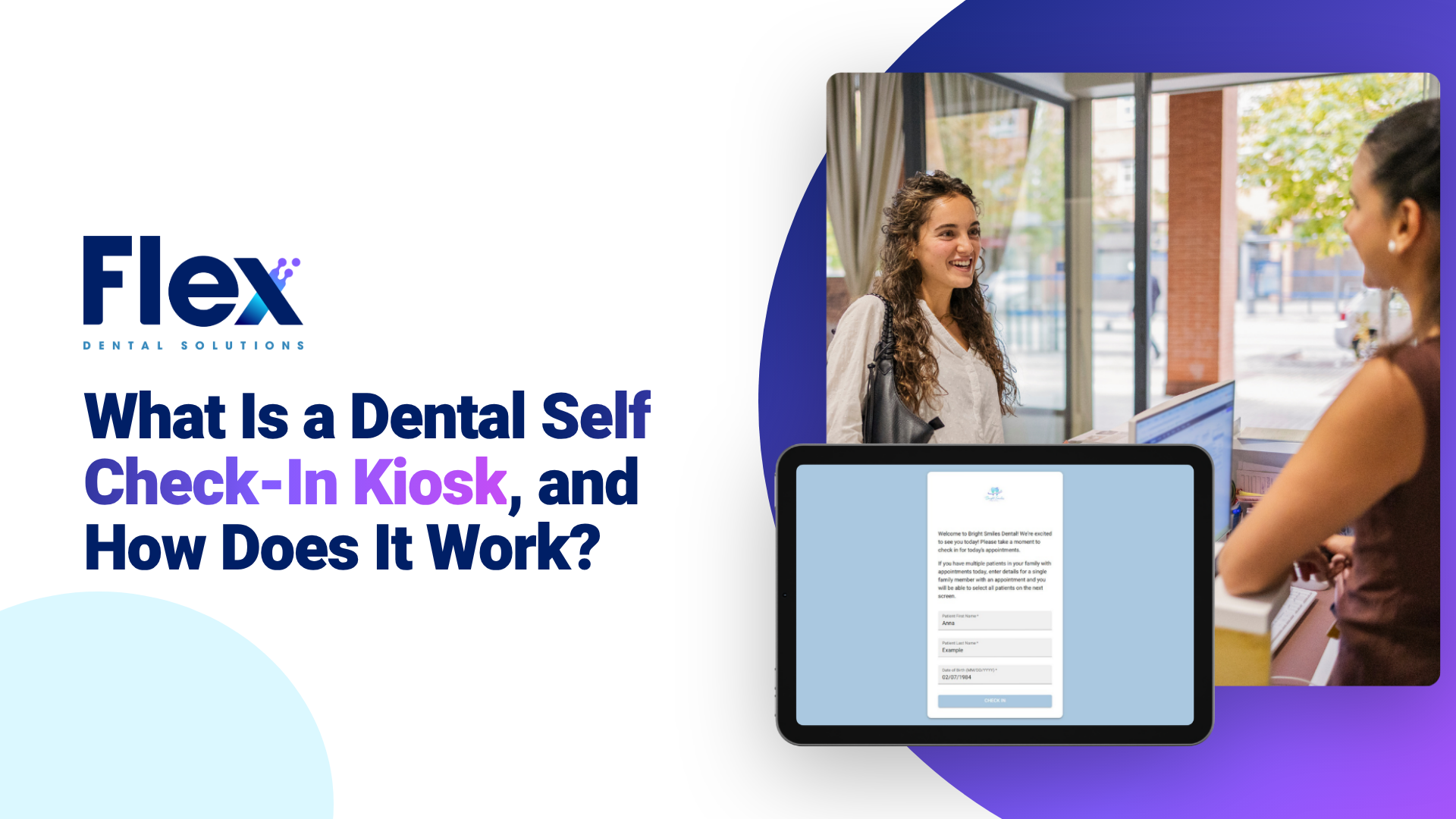
A dental self check-in kiosk is a tablet or QR code check-in station that lets patients announce their arrival, confirm who they are and finish any paperwork they still owe, without waiting in line at the front desk. When the patient checks in, the kiosk updates the appointment in the practice management system so the team knows the patient has arrived.
For Open Dental practices, the Flex Self Check-In Kiosk updates appointment status in Open Dental in real time and places the patient in the Open Dental Waiting Room, so the front desk sees every arrival without anyone typing it in.
How Does a Dental Self Check-In Kiosk Work?
A typical self check-in visit follows the same few steps:
- The arrival: the patient walks up to an in-office tablet or scans a QR code with their own phone.
- The identity check: the patient enters their name and date of birth.
- The family: if other family members have appointments that day, the patient can check them in during the same session.
- The paperwork: if the patient hasn't finished their forms, the kiosk prompts them to complete new patient forms or a health history update.
- The waiting room: the patient takes a seat, and the appointment shows as arrived in Open Dental.
With Flex, every step syncs automatically, so there is nothing to export, import or manually update after the patient checks in.
What Can Patients Do at a Dental Check-In Kiosk?
At a Flex self check-in kiosk, patients can:
- check in for their own appointment
- check in family members with appointments that day
- complete new patient forms they haven't finished
- update their health history
- sign consent forms
The goal is simple: everything the patient needs to do before the visit gets done before they sit down in the chair.
Tablet Kiosk vs. QR Code Check-In: What's the Difference?
Practices can set up self check-in in two ways, or use both:
| What to consider | Office tablet | QR code |
| Where patients check in | On a tablet in the office | On their own phone |
| What the office needs | A tablet near the entrance or front desk | A framed QR code sign |
| Good fit for | Offices with a natural check-in spot | Small reception areas or busy arrival times |
| What happens in Open Dental | Status updates in real time | Status updates in real time |
The right choice depends on your space and workflow. Many offices offer both so patients can use whichever is easier.
How Is a Self Check-In Kiosk Different From a Clipboard?
A clipboard check-in depends on the front desk at every step: greeting the patient, handing over forms, collecting them, then entering the information into the system. A self check-in kiosk moves most of that work to the patient and the software.
| What to consider | Clipboard and front desk | Self check-in kiosk |
| How the patient checks in | Waits to speak with the front desk | Checks in on a tablet or phone |
| How forms are completed | On paper in the waiting room | Digitally, before the patient sits down |
| How the information gets into Open Dental | Someone types it in | It syncs automatically |
| How the team knows the patient arrived | Someone marks the appointment | The appointment updates in real time |
Why Do Dental Practices Use Self Check-In Kiosks?
Because check-in is one of the most interrupted moments in a dental office. The phone is ringing, a patient is checking out, and another patient walks in holding a clipboard.
A self check-in kiosk helps practices:
- reduce interruptions at the front desk during busy arrival times
- get forms finished before the patient is seated
- cut down on manual data entry
- see who has arrived without asking
- give patients a faster, more modern arrival experience
The kiosk handles the routine part of check-in, so the front desk can focus on the patient in front of them.
How Does a Self Check-In Kiosk Work With Open Dental?
For Open Dental practices, the value of a kiosk depends on how well it connects to the schedule. If the kiosk collects information but the team still has to update the appointment by hand, the workflow is only partly automated.
The Flex Self Check-In Kiosk is built for Open Dental. When a patient checks in, the kiosk updates the appointment status in real time and places the patient in the Open Dental Waiting Room, so the clinical team knows who is ready. Flex is an Authorized Open Dental Integration.
Do Patients Still Need to Fill Out Forms at the Kiosk?
Often, no. With Flex Patient Forms, new patients receive intake forms when the appointment is booked, and returning patients get pre-filled health histories to confirm or update. Many patients finish everything before they arrive.
The kiosk catches the rest. If a patient hasn't completed their forms, the kiosk prompts them to finish while they wait, and everything flows into Open Dental with zero manual entry.
Can Families Check In Together at a Dental Kiosk?
Yes. With Flex, a parent or family member can check in everyone with an appointment that day in a single session, instead of repeating the process for each person.
Does a Self Check-In Kiosk Replace the Front Desk?
No. A kiosk replaces the repetitive part of check-in, not the people. Your team still greets patients, answers questions and handles anything unusual. The difference is that they're not tied up typing names and collecting clipboards while the phone rings.
What Should Dental Practices Look for in Self Check-In Kiosk Software?
Ask these questions:
- Does it work with Open Dental? Check-in should update the schedule your team already uses.
- Does appointment status update in real time? The team should see arrivals without refreshing or re-entering anything.
- Can patients check in on their own phone? A QR code option helps when space or devices are limited.
- Does it handle forms? Patients should be able to finish missing paperwork during check-in.
- Can families check in together? One session for the whole family saves time at the door.
- Can you brand it? The check-in screen should look like your practice.
- How long does setup take? Ask about installation, training and downtime.
How Does the Flex Self Check-In Kiosk Help Open Dental Practices?
The Flex Self Check-In Kiosk is part of how Flex helps Open Dental practices make intake effortless. It gives patients a simple way to check in and gives the team real-time visibility in Open Dental.
With the Flex kiosk, practices can:
- offer check-in on an office tablet, a QR code or both
- let patients check in with their name and date of birth
- check in family members in one session
- prompt patients to finish forms they still owe
- update appointment status and the Open Dental Waiting Room in real time
- add their logo and brand colors
Setup is quick: practices are typically live in about two weeks, installation takes about an hour, and teams get two hours of complimentary training, with no downtime and no data migration.
Want to see how the rest of the patient journey connects? Learn how patients book online into Open Dental or explore what Flex Dental Solutions does.
Make Check-In the Easiest Part of the Visit
Your patients already check in for flights, appointments and restaurants on their phones. Checking in at the dentist should be just as easy. Flex helps Open Dental practices give patients a faster arrival while keeping the front desk free for the conversations that matter.
How much calmer would your front desk be if check-in happened on its own? Learn More About the Self Check-In Kiosk or Schedule a Demo.
Frequently Asked Questions
What is a dental self check-in kiosk?
A dental self check-in kiosk is a tablet or QR code check-in station that lets patients check themselves in, confirm their identity and complete any paperwork they still owe before their appointment.
How does a dental self check-in kiosk work?
The patient checks in on an office tablet or by scanning a QR code, enters their name and date of birth, finishes any missing forms, and takes a seat. The appointment status updates in the practice management system.
Does a self check-in kiosk work with Open Dental?
Yes. The Flex Self Check-In Kiosk is built for Open Dental practices. It updates appointment status in real time and places the patient in the Open Dental Waiting Room.
Can patients check in on their own phone?
Yes. Practices can display a QR code that patients scan with their phone to check in, use an office tablet, or offer both.
Can patients complete forms at the kiosk?
Yes. If a patient hasn't finished their new patient forms or health history update, the kiosk prompts them to complete it while they wait.
Can a family check in together?
Yes. A patient can check in other family members who have appointments that day in the same session.
Does a check-in kiosk replace the front desk?
No. It handles the routine steps of check-in so the front desk team can focus on patients, phone calls and anything that needs a person.
How long does it take to set up the Flex Self Check-In Kiosk?
Practices are typically live in about two weeks. Installation takes about an hour, and teams get two hours of complimentary training, with no downtime or data migration.