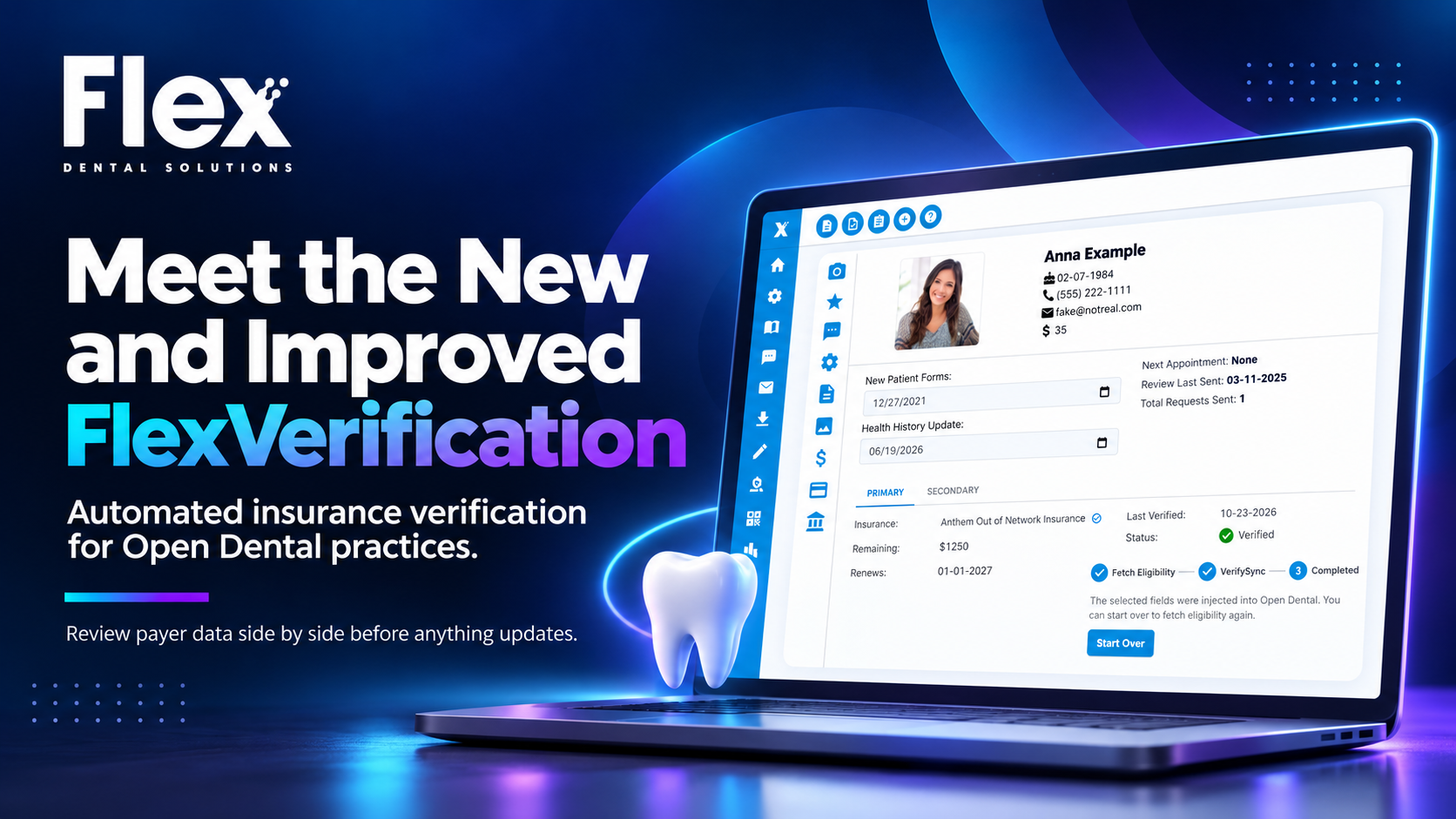
Meet the New and Improved FlexVerification
FlexVerification is an insurance verification tool built exclusively for Open Dental practices. It checks patient eligibility automatically before appointments, then shows your team the portal's response next to what's already in Open Dental. Your team chooses which fields to update. Nothing in Open Dental changes until someone selects it.
Let’s be honest about how most practices feel about automatic verification: they don’t trust it. Not because the idea was bad, but because they’d been burned by software that "helped" by overwriting things they’d carefully fixed by hand. The new FlexVerification is built around exactly what they want: automation that does the tedious work and then checks with you.
Key takeaways
- FlexVerification automates insurance eligibility checks for Open Dental practices.
- VerifySync shows Open Dental data and the insurance portal response side by side, and only the fields your team selects are updated.
- Connection alerts tell admins the moment a portal login needs attention, and every user sees an indicator on the patient profile.
- The Verification Report shows which verifications are ready to review (Review Now) and which need another pass (Rerun).
- A manual dental eligibility check takes an average of 12 minutes per patient, according to the 2024 CAQH Index.
What is FlexVerification?
FlexVerification is Flex Dental Solutions' insurance verification software for Open Dental. It pulls eligibility and benefit details from portals before appointments and helps your team get accurate coverage into Open Dental without phone calls or retyping. It works alongside Open Dental as an authorized integration; it doesn't replace it.
Why isn't "fully automatic" the goal?
Fully automatic verification isn't the goal because the front desk is accountable for what ends up in the patient record. If software writes the wrong frequency limit or wipes out a note your team added, the patient hears about it from you, not from the software.
The best verification tool isn't the one that touches the most fields. It's the one your team trusts enough to actually use every day. Speed matters, but trust is what makes speed stick.
Why did Flex update FlexVerification?
Flex updated FlexVerification because front desks wanted automation they could trust. Offices told us verification takes too long by hand, mistakes are costly, and they need to know exactly which fields change in Open Dental.
The numbers back up what front desks already feel:
- Time: A manual dental eligibility check takes an average of 12 minutes per patient (2024 CAQH Index, via ADA News).
- Denials: Across healthcare, registration and eligibility errors are the #1 cause of claim denials, roughly 25% (Optum 2024 Revenue Cycle Denials Index).
Twelve minutes doesn't sound like much until you multiply it by a full schedule, plus the calls that drop, the portal that times out, and the patient who walks in with a new card.
What's new in the improved FlexVerification?
The improved FlexVerification adds a review step, connection alerts, and a clearer verification queue. Here's everything that changed:
|
Feature |
What it does |
Who it helps |
|
VerifySync |
Shows Open Dental data and the insurance portal response side by side; you inject only the fields you choose |
Anyone who verifies benefits |
|
Connection alerts |
Flags a portal login that needs attention through a User Alert, a settings banner, and a patient profile indicator |
Admins and front desk teams |
|
VerifySync Status column |
Marks each verification Review Now or Rerun in the Verification Report |
Whoever works the daily queue |
|
Daily VerifySync Flex Alert |
Tells your team when verifications are ready to review |
The whole front desk |
|
Shared connection access |
Lets admins give non-admin staff permission to manage portal connections |
Offices where one person holds every login |
|
Verification settings |
VerifySync Automation or PDF only, Insurance Network Status and procedure code exclusions |
Office managers |
How does VerifySync work?
VerifySync is a three-step review flow on the patient profile that lets your team approve every change before it reaches Open Dental.
- Fetch Eligibility. FlexVerification pulls the patient's eligibility and benefits from the insurance portal and creates an eligibility PDF with the full response.
- Review in VerifySync. A side-by-side screen shows Current (what's in Open Dental) and Portal Response (what the insurance portal returned). Select the fields you want to update.
- Inject into Open Dental. Click "Inject into Open Dental." Only the selected fields are written in. Everything else stays exactly as it was.
You don't have to remember what the chart said before; it's right there next to what the insurance response says now. Differences jump out, and you decide.
Will FlexVerification overwrite my Open Dental data?
No. FlexVerification only updates the fields your team selects in VerifySync. Fields you don't select aren't changed, and you can set procedure code exclusions in settings. Offices that only want the verification document can choose PDF only.
What happens when an insurance portal login stops working?
FlexVerification alerts your team as soon as an insurance portal connection needs attention, so verifications don't quietly stop.
- Admins get a User Alert, an orange dot in settings, and a banner on the settings page.
- Everyone sees an indicator on the patient profile.
- Verification staff can fix the connection themselves if an admin has given them permission to manage portal connections.
In our experience, most "verification problems" are really login problems that nobody noticed for a few days.
How does the Verification Report help my team?
The Verification Report turns your verification queue into a to-do list. Its new VerifySync Status column marks each patient as Review Now (ready to review in VerifySync) or Rerun (run the check again before relying on it). A daily Flex Alert tells your team when verifications are waiting. The column formerly called "Type" is now called "Eligibility."
Manual verification vs. FlexVerification
|
Task |
Manual verification |
FlexVerification |
|
Checking eligibility |
Phone calls and portal logins, about 12 minutes per patient on average (CAQH) |
Runs automatically before appointments, with on-demand checks |
|
Entering benefits |
Retyped into Open Dental by hand |
Reviewed side by side, then injected for the fields you select |
|
Broken portal logins |
Found when a check fails, or a patient is waiting |
Flagged right away by connection alerts |
|
Tracking the queue |
Spreadsheets, notes, or memory |
One Verification Report with Review Now and Rerun status |
How do I get started with FlexVerification?
Current FlexVerification users: the new version is already rolling out to your accounts. Look for VerifySync on the patient profile and the new column in the Verification Report, then use the user guide, walkthrough videos, Help Center, and the monthly customer webinar. My advice: connect your busiest insurance connections first and review a handful of patients together as a team before you make it routine.
New to FlexVerification: book a demo. During setup, the Flex training team connects your first insurance portals with you live, and your team adds the rest at its own pace.
Frequently asked questions
What is FlexVerification? FlexVerification is insurance verification software built exclusively for Open Dental practices by Flex Dental Solutions. It checks patient eligibility automatically before appointments, shows the insurance's response next to your Open Dental data, and updates only the fields your team selects.
What is VerifySync? VerifySync is the review step in FlexVerification. It shows what's currently in Open Dental next to what the insurance portal returned. Your team selects the fields to update and clicks "Inject into Open Dental." Fields that aren't selected stay unchanged.
Does FlexVerification work with Open Dental? Yes. FlexVerification is built exclusively for Open Dental and works alongside it as an authorized integration. It doesn't replace Open Dental; it adds automated eligibility checks, a review step and connection alerts to your existing workflow.
Will FlexVerification overwrite our Open Dental data? No. Nothing in Open Dental changes unless your team selects it in VerifySync. Unselected fields stay as they are, and you can exclude specific procedure codes in settings. Offices that only want the verification document can choose PDF only.
Does FlexVerification still check eligibility automatically? Yes. FlexVerification checks eligibility before appointments and offers on-demand checks for walk-ins and same-day changes. The new VerifySync step adds a review before benefits are written into Open Dental.
What happens if an insurance portal password expires? Admins get a User Alert and see a banner and an orange dot in settings, and all users see an indicator on the patient profile. Anyone with permission to manage portal connections can update the login so verifications keep running.
Can non-admin staff manage insurance portal logins? Yes. Admins can give the staff who handle verification permission to manage portal connections, so a broken login doesn't wait for one person.
Does FlexVerification work for multi-location practices? Yes. Multi-Site Logins with automatic MFA make it easier to manage insurance portal logins across locations, and settings like Insurance Network Status and procedure code exclusions help keep verification consistent.
Glossary
- Eligibility verification: confirming a patient's insurance coverage is active and what it covers before an appointment.
- Benefit injection: writing verified insurance benefits into the practice management system instead of typing them by hand.
- Insurance portal: an insurance carrier's website where offices look up eligibility and benefits.
- Frequency limitation: a plan rule limiting how often a service, such as cleanings or X-rays, is covered.
The bottom line
The front desk doesn't need software that does everything. It needs software that does the boring parts well and leaves the judgment calls to the people who know the patients. That's what the new FlexVerification is for. If verification still runs on phone calls and portal tabs at your office, I'd love for you to see it. Book a demo today!